Add an appliance
Register a unit by scanning its nameplate or typing it in, and get its service schedule automatically.
Updated July 30, 2026
Desktop: Sidebar → Appliances, or a room's panel on the Home page
Mobile: Bottom tab → Appliances
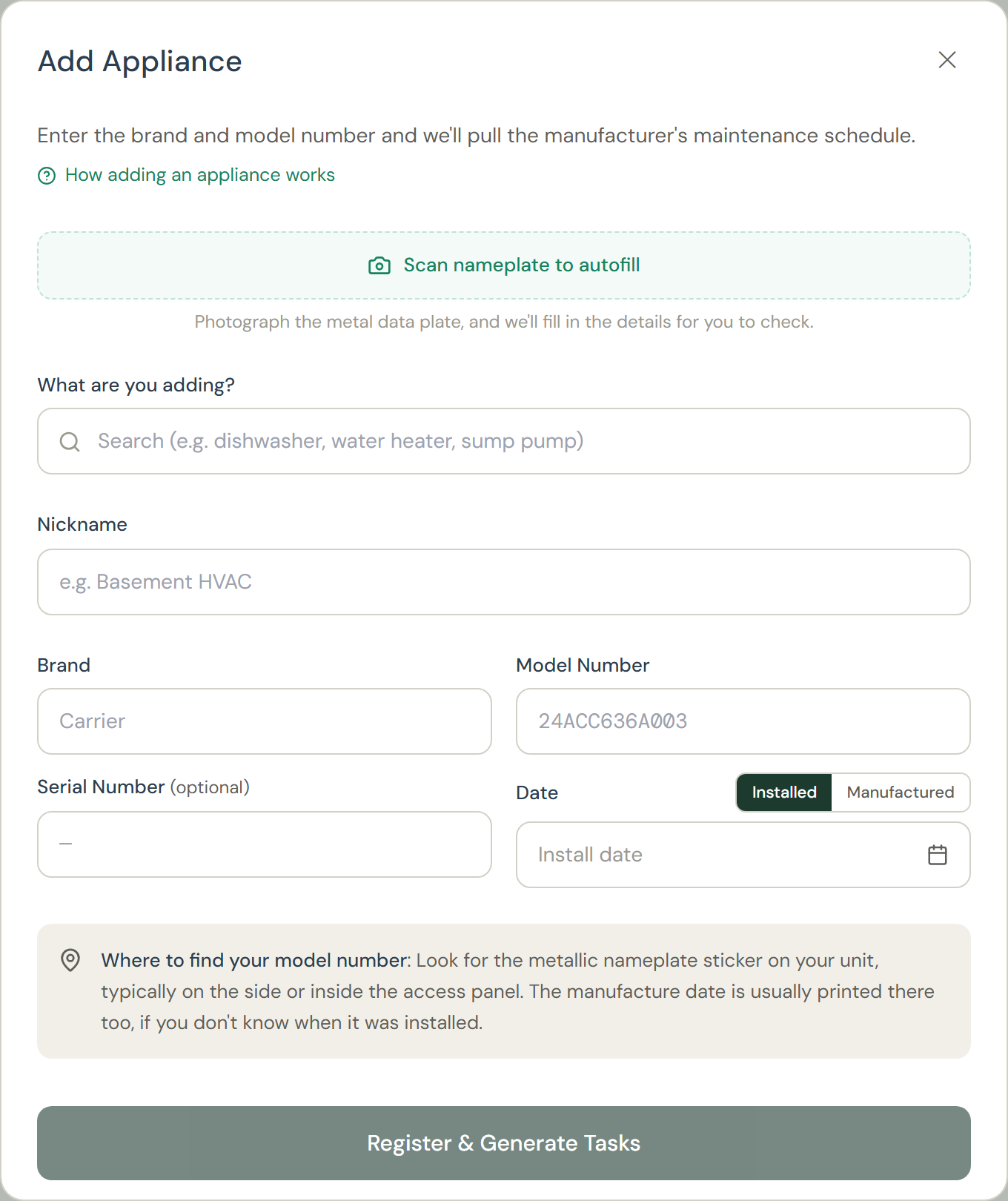
- Click Add Appliance.
- Fastest path: Scan nameplate to autofill. Take a photo of the unit's nameplate (the sticker or plate with the model and serial) and Tidings fills in the brand, model, serial number, and type for you.
- Or type it in. Start with brand and model; if a spelling looks off, Tidings suggests the likely match, and you can confirm it or keep what you typed.
- Pick the appliance type, and a room if you know where it lives. Add the purchase or install date if you have it; it anchors the schedule.Everything except brand and model can be corrected later from the appliance's page.
- Save. The unit's manufacturer-recommended tasks are added to your plan immediately.One of them, marked First check, comes due the same day: a quick look at where the unit stands (is the filter dirty? any drips?). Complete it and the regular schedule takes over from there.
Good to know: If your model isn't in the manufacturer's published maintenance guidance, Tidings uses its standard schedule for that appliance type, built from industry best practice. The appliance's page tells you which schedule you're on.